
Change Your Settings
Toggle scanners, switch enforcement mode, adjust repository coverage, or deactivate Shield.
Everything you chose during setup can be changed from Shield → Settings.
You must be a GitHub organization owner or admin to change these settings. Members can view them only.
Enforcement Mode
Monitoring reports findings. It never blocks a merge.
Stay in Monitoring until your critical and high findings are cleared. Then switch to Active.
Monitoring
Active
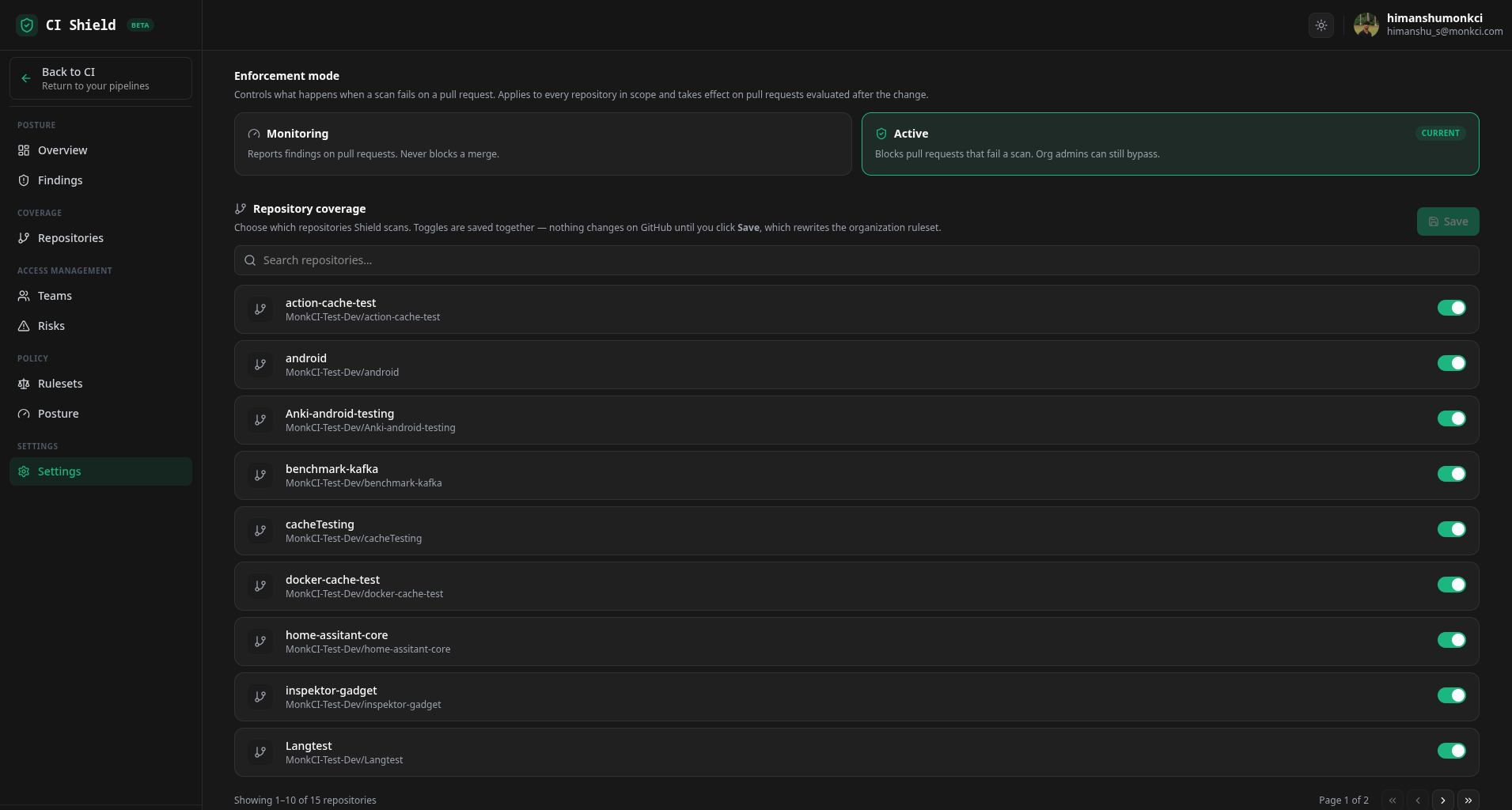
To change mode, select Monitoring or Active. Switching to Active asks you to confirm, because it starts blocking merges for everyone. Switching back to Monitoring applies immediately.
The change applies to every repository in scope, on pull requests evaluated after the change.
Repository Coverage
Find your repositories
Use Search repositories… to filter the list, or page through it.
Toggle the repositories you want scanned
Turn each repository on or off. Keep at least one on.
Click Save
Toggles are saved together - nothing changes on GitHub until you click Save, which rewrites the organization ruleset.
Detection Engines
Toggle any of the four scanners on or off, then confirm the change.
When it takes effect
Toggling a scanner rewrites the shared .monk-ci workflow. The change applies to pull requests opened after the sync completes. Runs already in progress are unaffected.
Keep at least one scanner on - Shield blocks disabling the last one, because new pull requests would then go unscanned. See Choose Your Scanners for what each covers.
Deactivate Shield
Under Danger zone, click Deactivate and confirm.
This removes the Monk CI Shield organization ruleset and the .monk-ci repository, and disables all scanners. Pull requests stop being scanned immediately.
Your findings and scan history are preserved. Re-activate at any time by running the wizard again.
Common Questions
| Question | Answer |
|---|---|
| Do I need Monk CI runners to use Shield? | No. Shield works on any GitHub Actions setup. |
| Do I have to edit my workflow files? | No. Shield's workflow lives in the managed .monk-ci repository. |
Can I edit the .monk-ci repository? | No - manual edits are overwritten. Change scanners from Settings instead. |
| Will Shield scan my whole repository history? | No. Shield scans pull requests as they are opened, updated, or reopened. |
| We already use Dependabot and CodeQL - is Shield redundant? | No. Leave the overlapping scanners off and Shield still shows those findings alongside its own. |
| What happens to my findings if I deactivate? | They are preserved, along with your scan history. |