
Debug Agent
Enable the AI agent that opens a pull request with a fix when your CI job fails.
When a CI job fails, the Debug Agent reads the logs, finds the root cause, edits the files at fault, and opens a pull request with the fix. You review it and merge it like any other pull request.
Where to find it
The Debug Agent lives in your dashboard under Agents. Every agent stays off until you turn it on, so nothing runs until you enable it for a repository.
Connect the Monk CI Fusion App
The Debug Agent runs through the Monk CI Fusion App, a GitHub App that is separate from the one your Monk CI runners use. Until it is connected, the Agents page shows a short walkthrough.
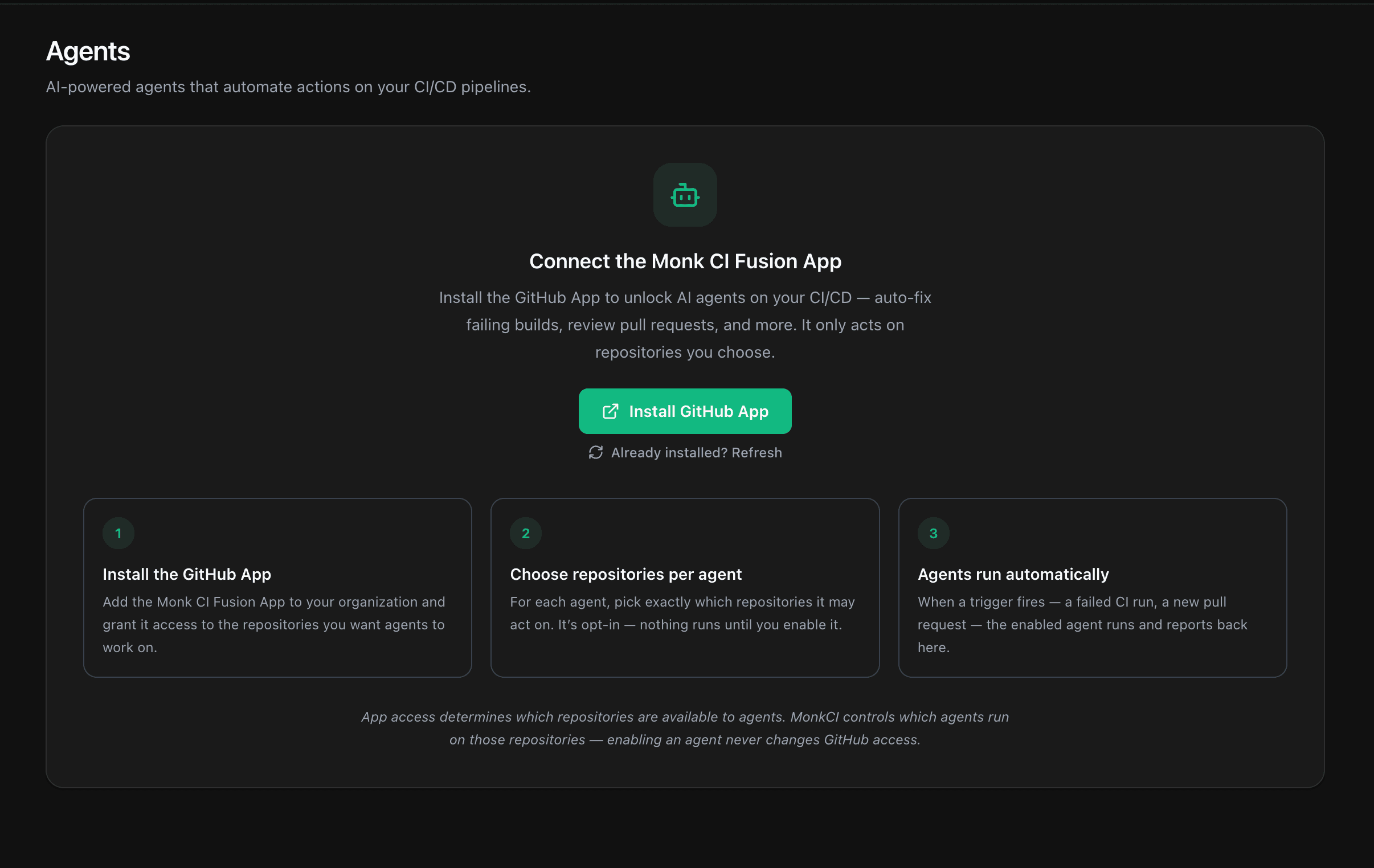
Click Install GitHub App, authorize it on your GitHub organization, and grant it access to the repositories you want agents to work on. Back on the dashboard, use Already installed? Refresh if the status has not updated yet.
Repository access lives on GitHub. Use Manage on GitHub or Add more on GitHub to change which repositories the app can reach. Turning an agent on inside Monk CI never changes that access.
Enable the Debug Agent
Once the app is connected, the Agents page shows the agent catalog and the credits you have left.
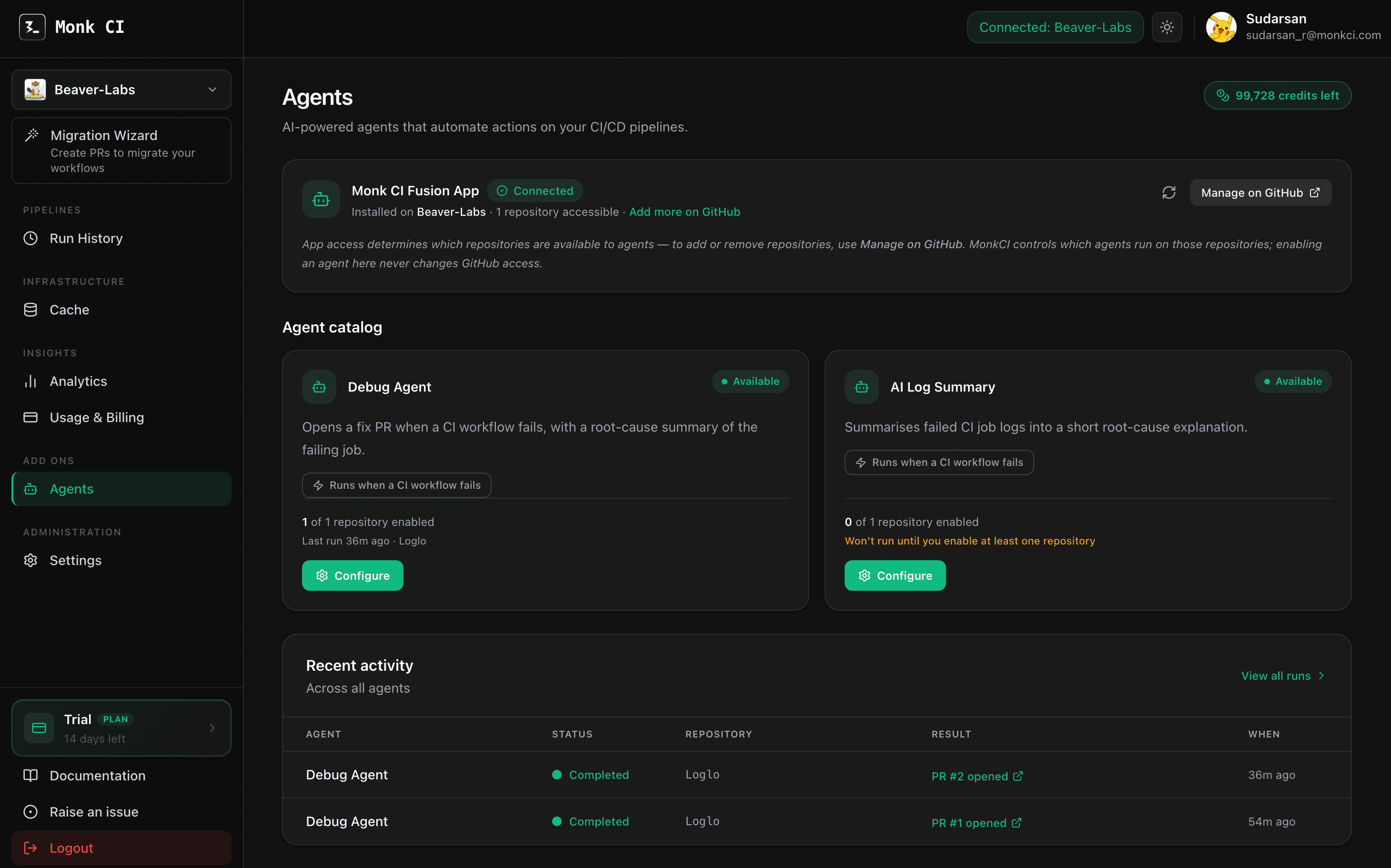
Open Agents
In the dashboard sidebar, under Add Ons, open Agents.
Configure the Debug Agent
On the Debug Agent card in the Agent catalog, select Configure. The card trigger reads Runs when a CI workflow fails.
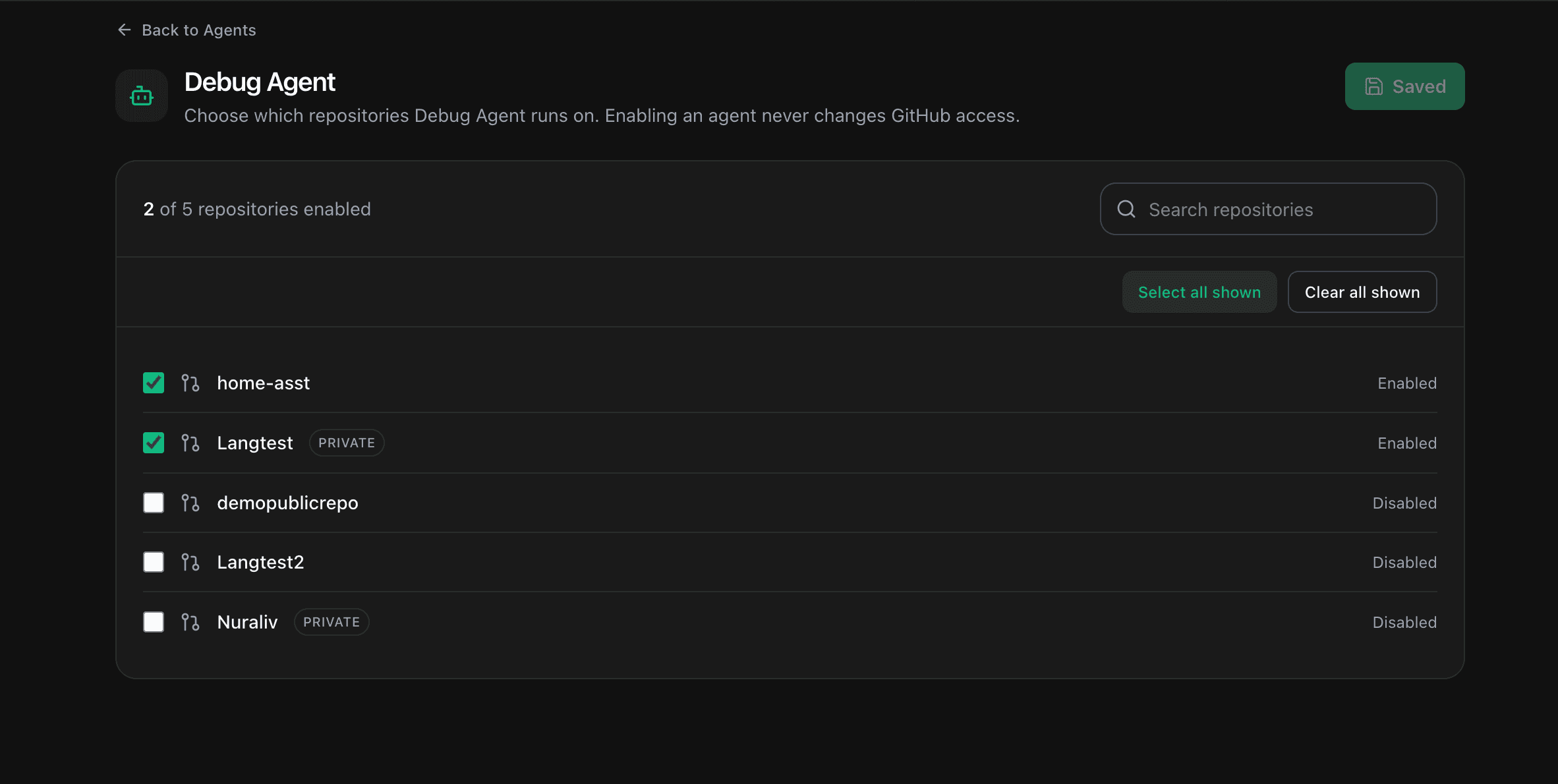
Choose the repositories it runs on
Turn on each repository you want the Debug Agent to watch. Use the search box to find one quickly, or Select all shown to enable every repository in the list at once. A repository that stays off is never touched, and your changes save as you make them.
What Happens When a Job Fails
You do not add anything to your workflow files. Once a repository is enabled:
- A CI job in that repository fails.
- The Debug Agent reads the failed job logs and finds the root cause.
- If it can produce a fix, it edits the files, opens a branch, and raises a pull request.
- The result shows up on the Agents page and on the run in Run History.
Review before merging
The Debug Agent opens a pull request for you to review. It never pushes to your default branch and never merges its own work.
Read the Fix
Open the pull request from the run to see exactly what changed. The Debug Agent writes a structured summary so you can judge the change quickly.
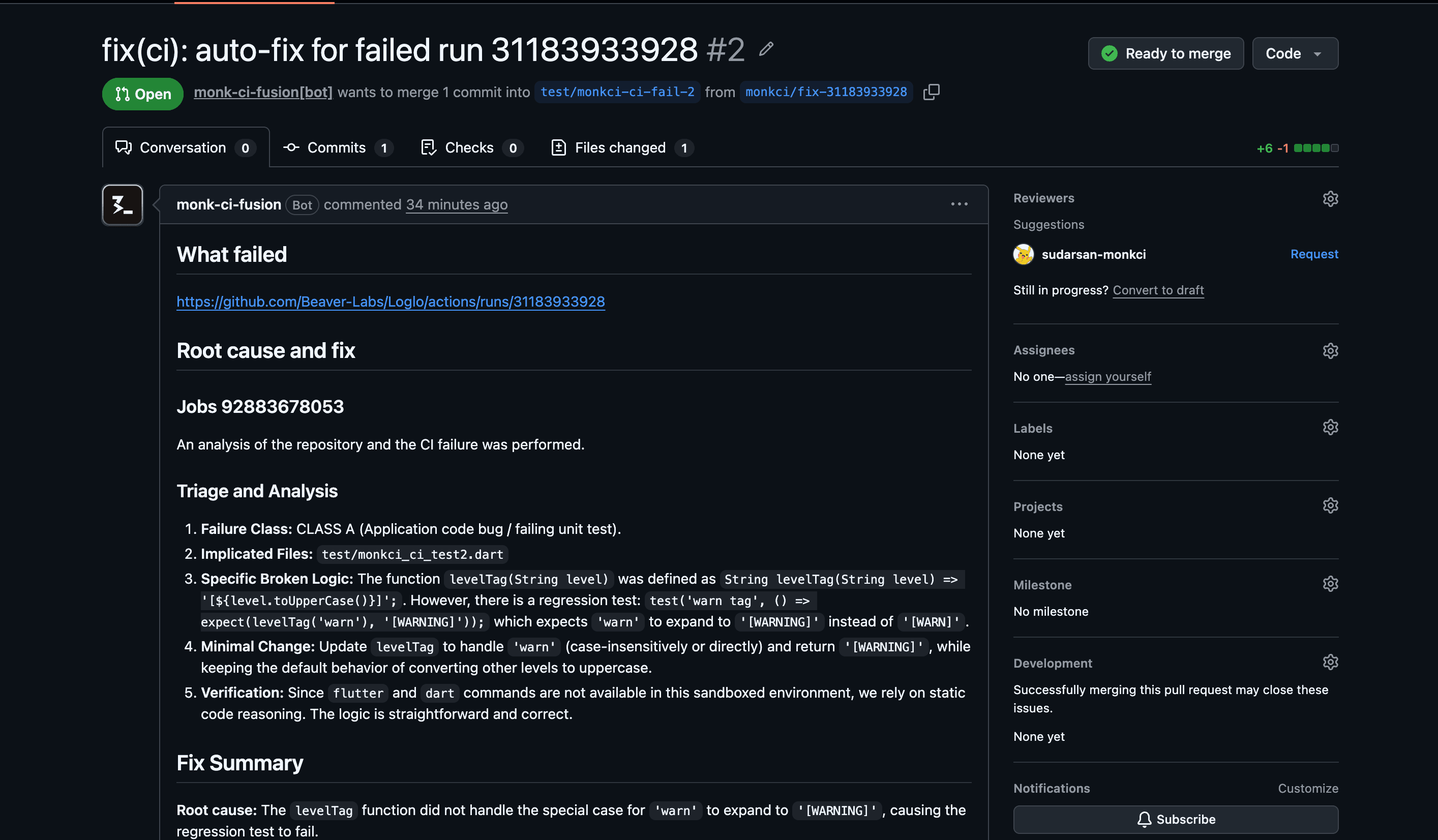
Every fix pull request follows the same shape:
What failed
A link to the CI run that triggered the fix.
Root cause and fix
The agent's reasoning for each failing job.
Fix Summary
The root cause, the class of the failure (for example, CLASS A), the files changed, what changed and why, and how the fix was verified.
Files changed
The list of files the agent edited.
The summary closes with a reminder to review the diff before you merge. Once the checks pass, merge it like any other pull request.
Track Agent Runs
The Agents page keeps a record of every run.
- Recent activity shows the latest runs across all agents.
- All runs is the full history. Use the agent filter to see only the Debug Agent.
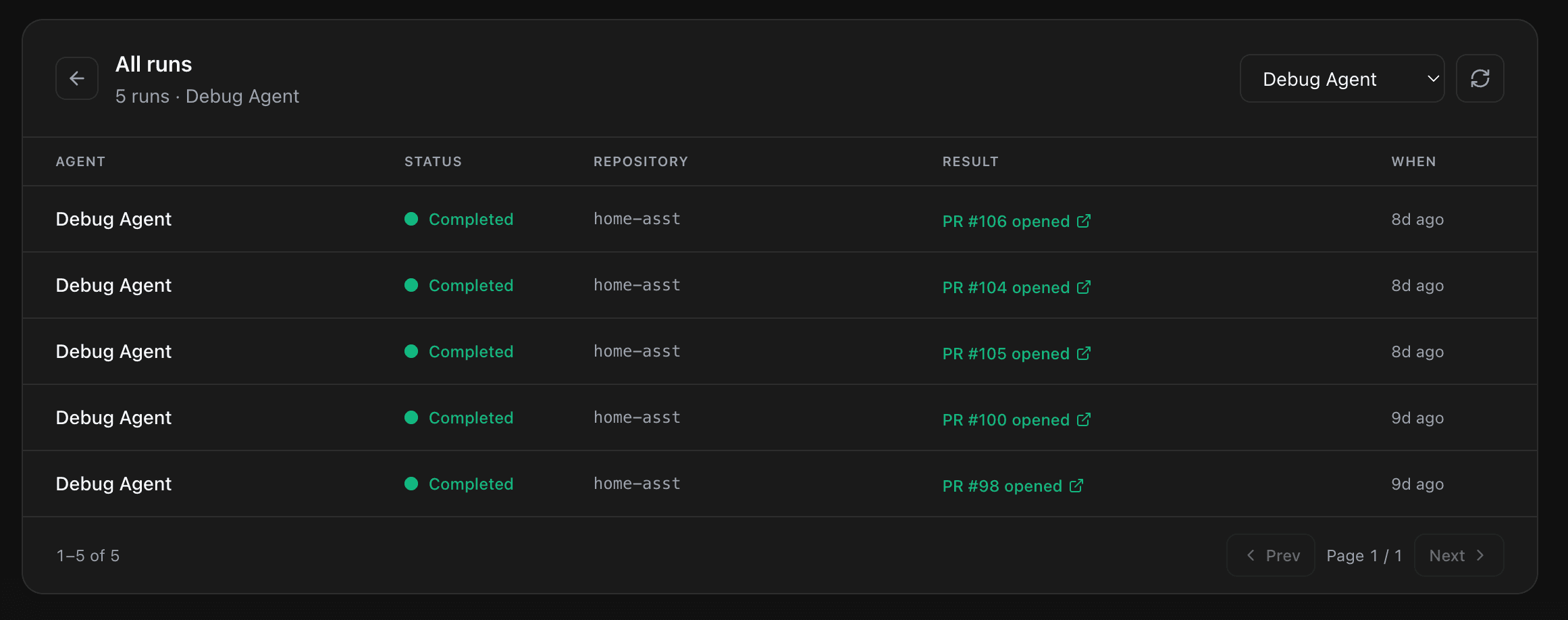
Each run carries a status:
| Status | Meaning |
|---|---|
| Pending or Running | The agent is working. |
| Completed | A fix pull request was opened. |
| No fix | The agent ran but could not produce a fix. |
| Failed | The run itself errored. |
Select any run to open the pull request it produced.
Credits
Agent runs use credits. The credits chip at the top of the Agents page shows how many you have left, your free grant plus any credits you have purchased. It warns you when the balance runs low, and runs pause once it reaches zero.
Troubleshooting
| Problem | What to do |
|---|---|
| The Monk CI Fusion App is not connected | Select Install GitHub App, authorize it on your organization, then use Already installed? Refresh. |
| The app shows as suspended | Enable the app again on your GitHub organization, then refresh the status. |
| A repository is missing from the list | Use Manage on GitHub to grant the Monk CI Fusion App access to it, then refresh. |
| No fix was opened for a failed job | Check the run status. No fix means the agent could not produce one. Read the AI Log Summary for the diagnosis instead. |
Next
AI Log Summary
When a job fails on a repository you've enabled, Monk CI analyzes the logs and generates a root cause analysis you can read in plain English - right inside the dashboard.
Monk CI Shield
Scan every pull request for secrets, vulnerabilities and misconfigurations, review access, and enforce branch policy across your GitHub organization.