
AI Log Summary
When a job fails, Monk CI automatically analyzes the logs and generates a root cause analysis you can read in plain English - right inside the dashboard.
When a pipeline breaks, you usually have to scroll through thousands of log lines to find the one that matters. Monk CI does that for you. Whenever a job fails, Monk CI automatically generates a Root Cause Analysis (RCA) from its logs and surfaces it directly in your dashboard - no extra configuration required.
How It Works
The AI summary runs automatically. There is nothing to enable or wire into your YAML.
A job fails - Monk CI detects the non-success exit status as the run completes.
Logs are analyzed - Our AI ingests the failed job's logs, isolates the error, and reasons about why it happened.
An RCA is generated - A structured summary is attached to the run, ready to read the moment the job turns red.
Zero configuration
AI log summaries are generated automatically for failed jobs. You do not need to add any steps, tokens, or settings to your workflow.
Viewing a Summary
Open any failed run from the Run History dashboard. Failed jobs display a View AI Summary button next to View logs.
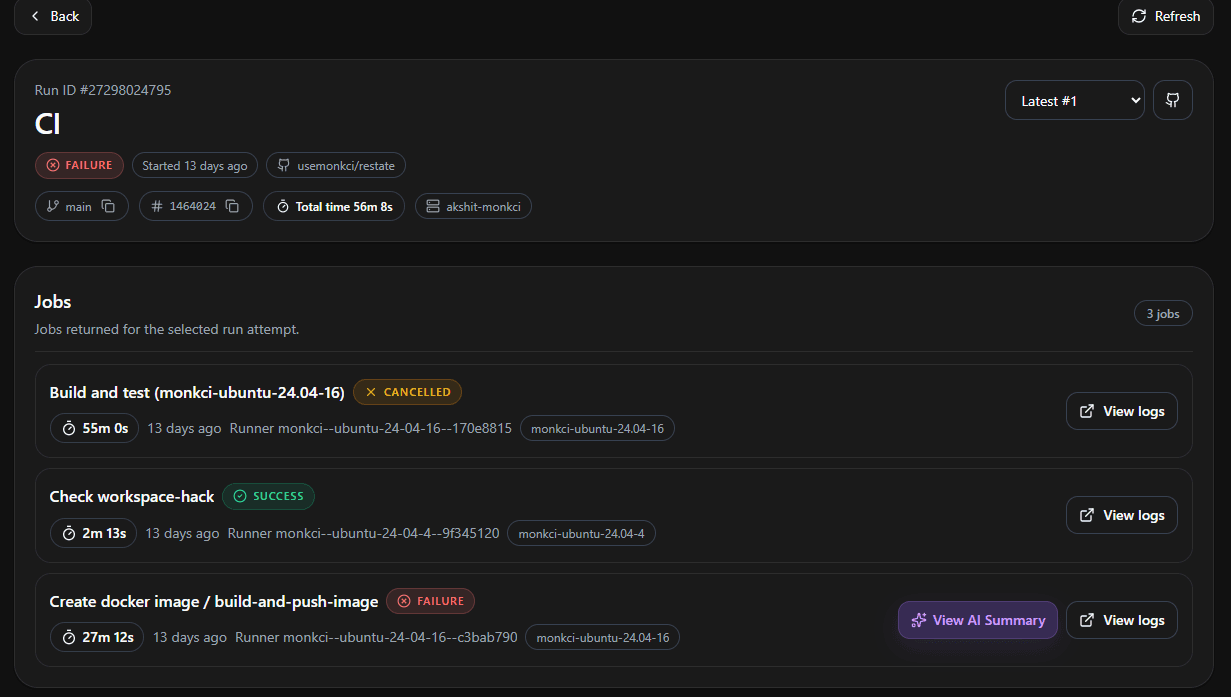
Click View AI Summary to open the RCA panel for that job.
What's in a Summary
Each AI summary breaks the failure down into clear, actionable sections.
Summary
A plain-English headline explaining what failed and why it matters.
Root Cause
The specific reason the job failed, traced back to the exact error in the logs.
Impact
What the failure blocked - for example, a deployment that could not proceed.
Recommended Actions
A prioritized, step-by-step list of fixes to resolve the failure.
Evidence
The raw log excerpts the analysis is based on, so you can verify the diagnosis.
Example
Here's a real summary for a Docker push that was denied at the registry. The panel calls out the root cause, the impact, a prioritized list of recommended actions, and the exact log evidence behind the diagnosis.
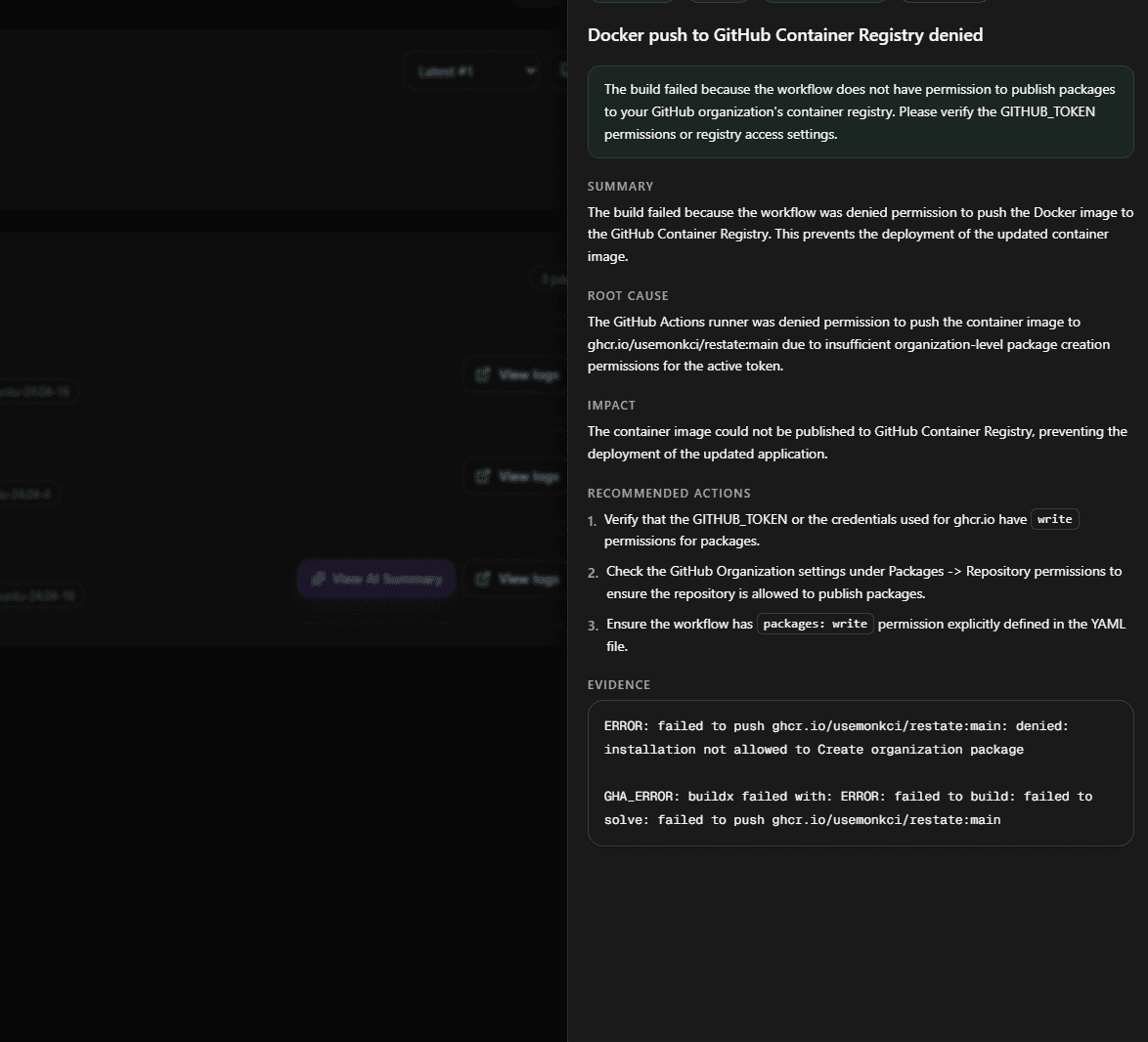
This turns a wall of red log output into a diagnosis your team can act on in seconds.
Pricing
No Additional Cost
AI Log Summaries are included in all Monk CI plans at no extra charge. For details on overall platform pricing, visit the Pricing page.